SimpleShapeMonteCarloAbsorption dialog.
Table of Contents
| Name | Direction | Type | Default | Description |
|---|---|---|---|---|
| InputWorkspace | Input | MatrixWorkspace | Mandatory | Input workspace |
| MaterialAlreadyDefined | Input | boolean | False | Select this option if the material has already been defined |
| ChemicalFormula | Input | string | Chemical formula of sample | |
| DensityType | Input | string | Mass Density | Use of Mass density or Number density. Allowed values: [‘Mass Density’, ‘Number Density’] |
| Density | Input | number | 0.1 | Mass density (g/cm^3) or Number density (atoms/Angstrom^3) |
| NumberOfWavelengthPoints | Input | number | 10 | Number of wavelengths for calculation |
| EventsPerPoint | Input | number | 1000 | Number of neutron events |
| Interpolation | Input | string | Linear | Type of interpolation. Allowed values: [‘Linear’, ‘CSpline’] |
| BeamHeight | Input | number | 1 | Height of the beam (cm) |
| BeamWidth | Input | number | 1 | Width of the beam (cm) |
| Shape | Input | string | FlatPlate | Geometry of sample environment. Options are: FlatPlate, Cylinder, Annulus. Allowed values: [‘FlatPlate’, ‘Cylinder’, ‘Annulus’] |
| Height | Input | number | 0 | Height of the sample environment (cm) |
| Width | Input | number | 0 | Width of the FlatPlate sample environment (cm) |
| Thickness | Input | number | 0 | Thickness of the FlatPlate sample environment (cm) |
| Center | Input | number | 0 | Center of the FlatPlate sample environment |
| Angle | Input | number | 0 | Angle of the FlatPlate sample environment with respect to the beam (degrees) |
| Radius | Input | number | 0 | Radius of the Cylinder sample environment (cm) |
| OuterRadius | Input | number | 0 | Outer radius of the Annulus sample environment (cm) |
| InnerRadius | Input | number | 0 | Inner radius of the Annulus sample environment (cm) |
| OutputWorkspace | Output | MatrixWorkspace | Mandatory | The output corrected workspace. |
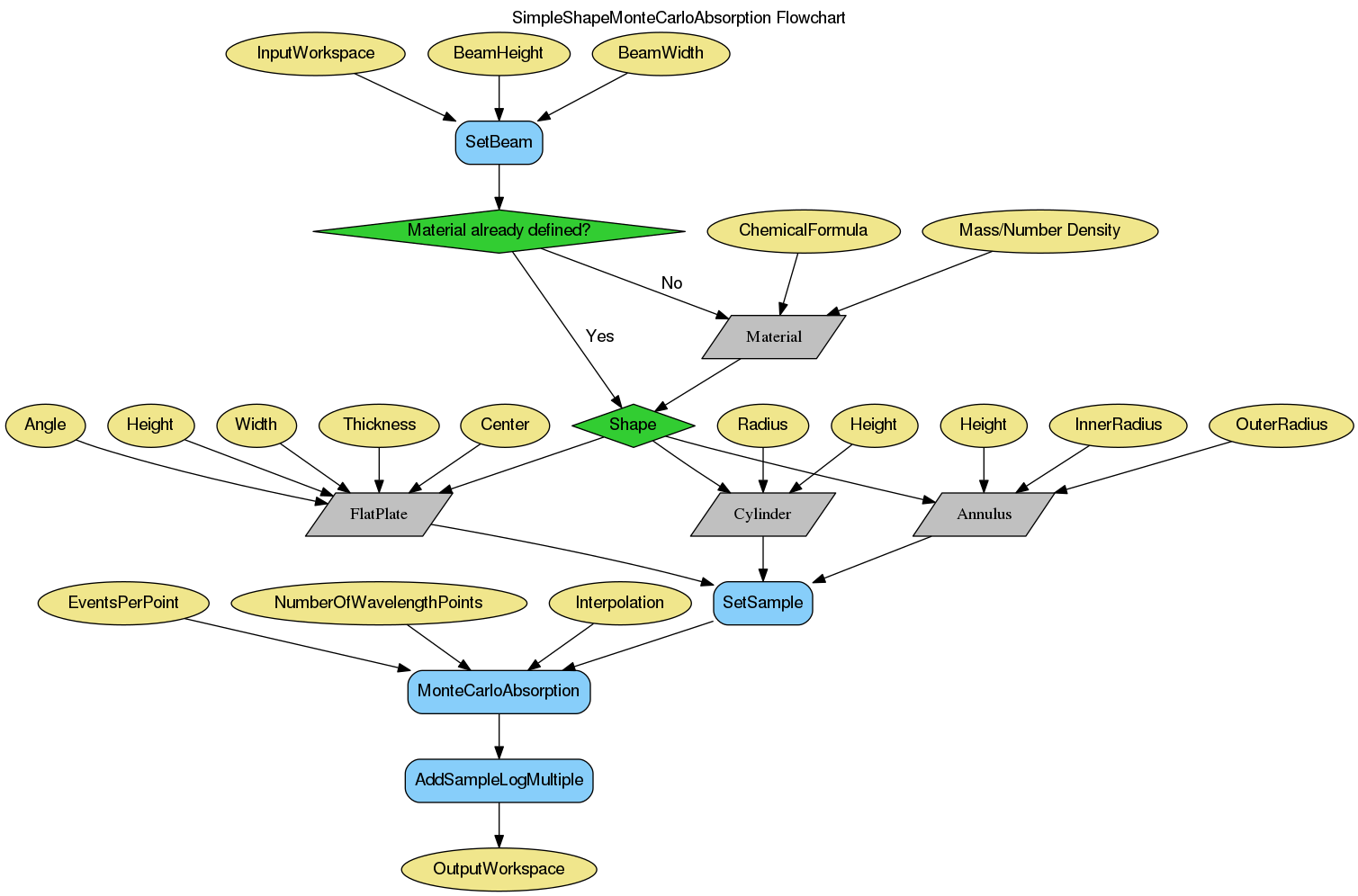
Sets up a sample shape, along with the required material properties, and runs the MonteCarloAbsorption algorithm. This algorithm merely serves as a simpler interface to define the shape & material of the sample without having to resort to the more complex CreateSampleShape & SetSampleMaterial algorithms. The computational part is all taken care of by MonteCarloAbsorption. Please see that documentation for more details. Currently the shape geometries supported are:
Example
qens_ws = CreateSampleWorkspace(Function="Quasielastic",
                                XUnit="Wavelength",
                                XMin=-0.5,
                                XMax=0.5,
                                BinWidth=0.01)

corrected = SimpleShapeMonteCarloAbsorption(InputWorkspace = qens_ws,
                                            ChemicalFormula = 'H2-O',
                                            DensityType = 'Mass Density',
                                            Density = 1.0,
                                            EventsPerPoint = 200,
                                            BeamHeight = 3.5,
                                            BeamWidth = 4.0,
                                            Height = 2.0,
                                            Shape = 'FlatPlate',
                                            Width = 1.4,
                                            Thickness = 2.1)

print("y-axis label: {}".format(corrected.YUnitLabel()))
Output:
y-axis label: Attenuation factor
Categories: Algorithms | Workflow\Inelastic | CorrectionFunctions\AbsorptionCorrections | Workflow\MIDAS