
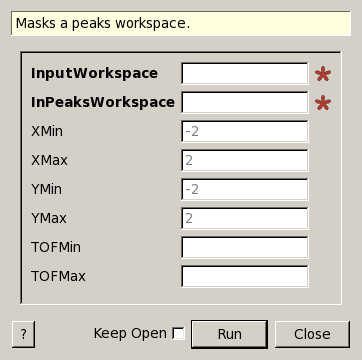
MaskPeaksWorkspace dialog.
Table of Contents
| Name | Direction | Type | Default | Description |
|---|---|---|---|---|
| InputWorkspace | Input | MatrixWorkspace | Mandatory | A workspace containing one or more rectangular area detectors. Each spectrum needs to correspond to only one pixelID (e.g. no grouping or previous calls to SumNeighbours). |
| InPeaksWorkspace | Input | PeaksWorkspace | Mandatory | The name of the workspace that will be created. Can replace the input workspace. |
| XMin | Input | number | -2 | Minimum of X (col) Range to mask peak relative to peak’s center |
| XMax | Input | number | 2 | Maximum of X (col) Range to mask peak relative to peak’s center |
| YMin | Input | number | -2 | Minimum of Y (row) Range to mask peak relative to peak’s center |
| YMax | Input | number | 2 | Maximum of Y (row) Range to mask peak relative to peak’s center |
| TOFMin | Input | number | Optional | Optional(all TOF if not specified): Minimum TOF relative to peak’s center TOF. |
| TOFMax | Input | number | Optional | Optional(all TOF if not specified): Maximum TOF relative to peak’s center TOF. |
Mask pixels in an Workspace close to peak positions from a PeaksWorkspace. Peaks could come from ISAW diamond stripping routine for SNAP data. Only works on Workspaces and for instruments with RectangularDetector’s.
Example:
#the files for this example are not available for download
#This is to illustrate usage only
ws = Load("TOPAZ_3007.nxs")
wsPeaks=LoadIsawPeaks("TOPAZ_3007.peaks")
#This will mask out the data in the event workspace relating to the peaks
MaskPeaksWorkspace(ws,wsPeaks)
Categories: Algorithms | Crystal\Peaks