

Waterfall Plots#
Other Plot Types
General Plot Help
To create a waterfall plot, right-click on a workspace and select Plot > Spectrum....
Then set the Plot Type to Waterfall before choosing which spectra to plot and selecting OK.
Plot Toolbar#

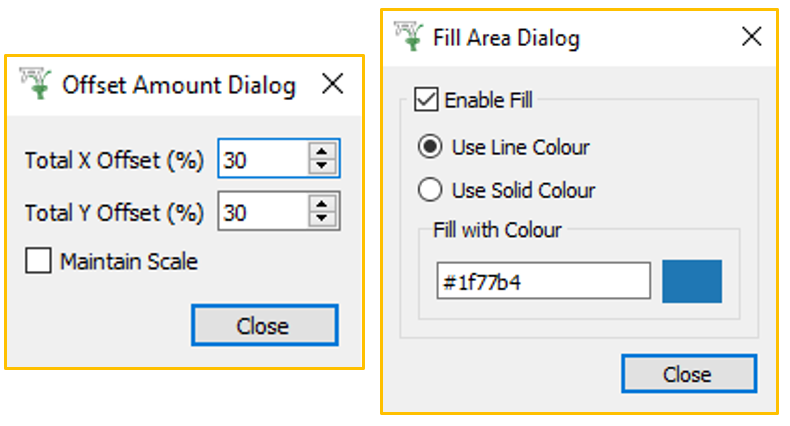
From the waterfall toolbar, access the Offset and Fill Area menus:
Click Menus#
 ptions Menu#
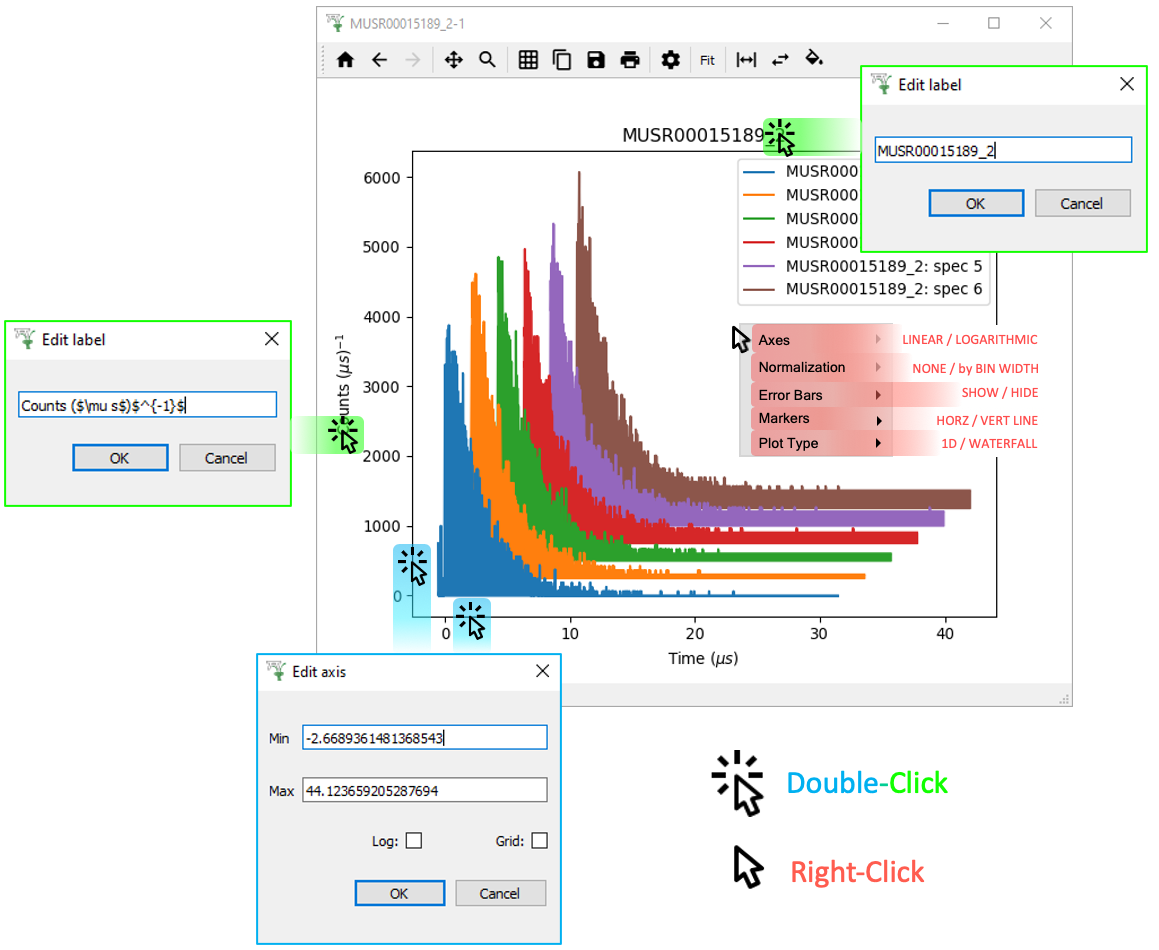
Waterfall plots are very similar to 1D plots of multiple spectra. They are simply offset, as controlled from the Waterfall Toolbar menus above.
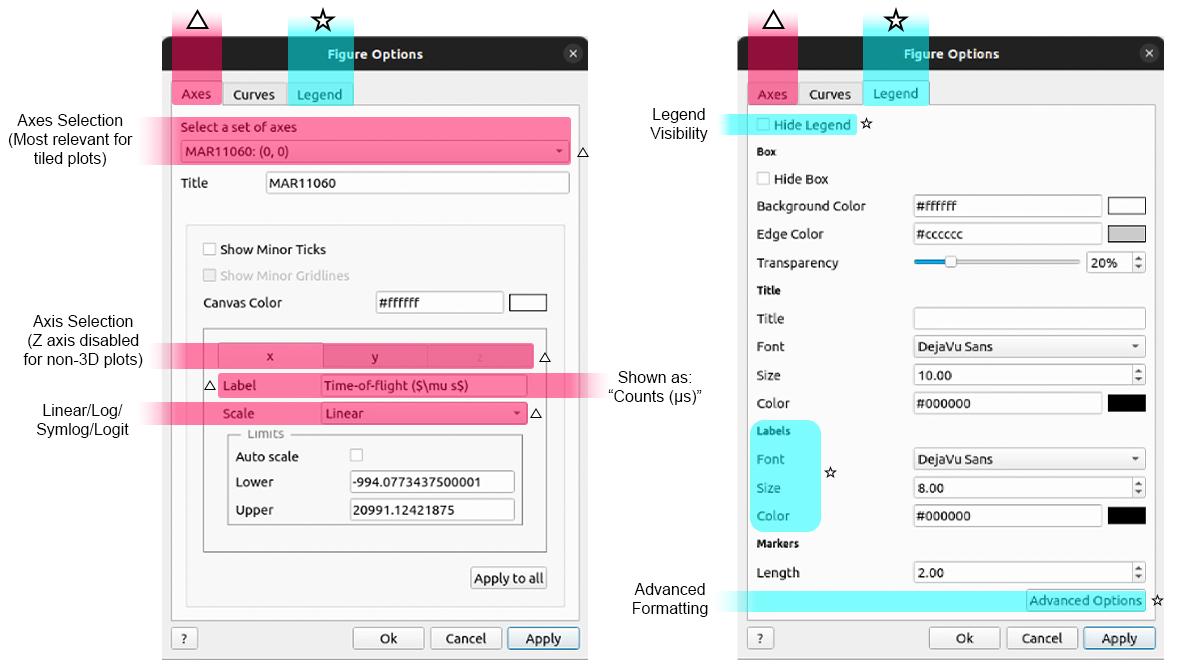
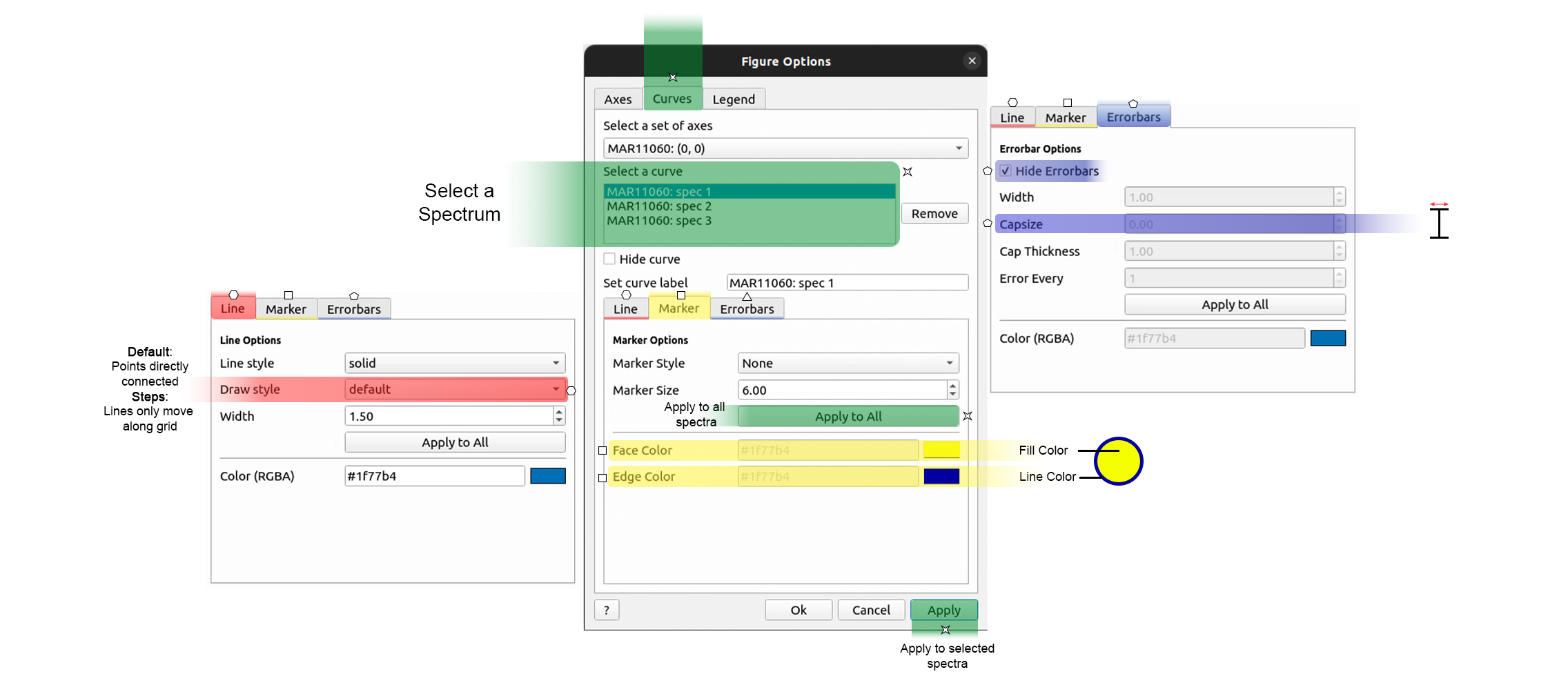
TIP: Change a Legend entry by editing Set curve label on the Curves tab.
Then on the Legend tab there are Color and Font options.
Scripting#
An example script for a Waterfall Plot:

Enable :plots: using DOCS_PLOTDIRECTIVE in CMake
For more advice: Formatting Plots with a script
General#
General Plot Help
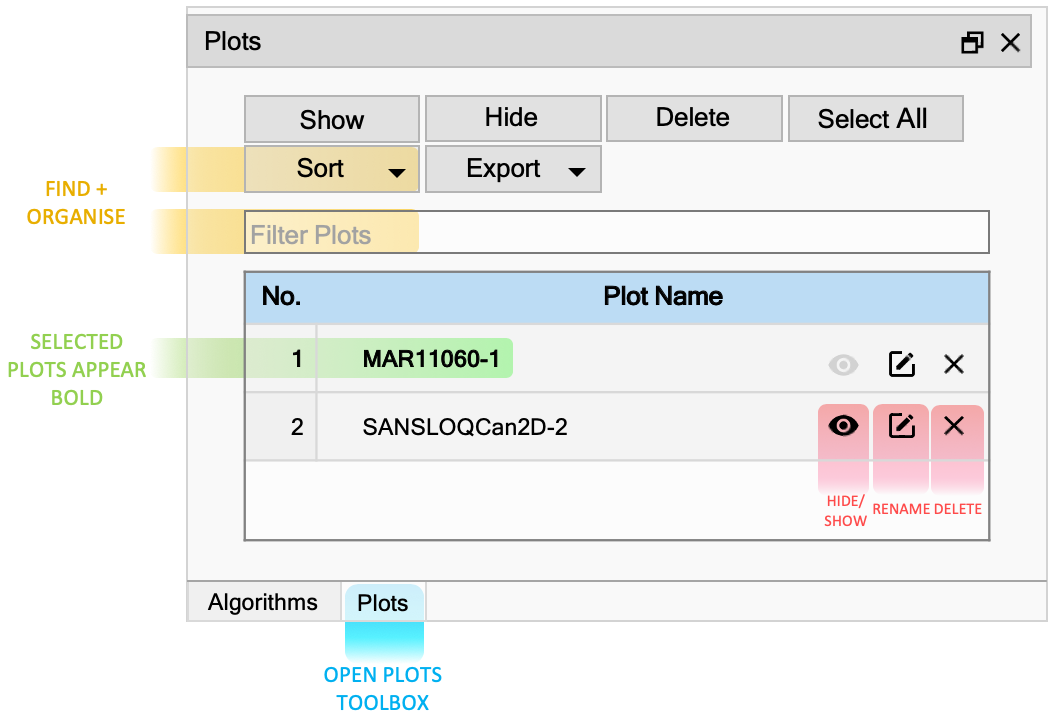
Plots Toolbox#
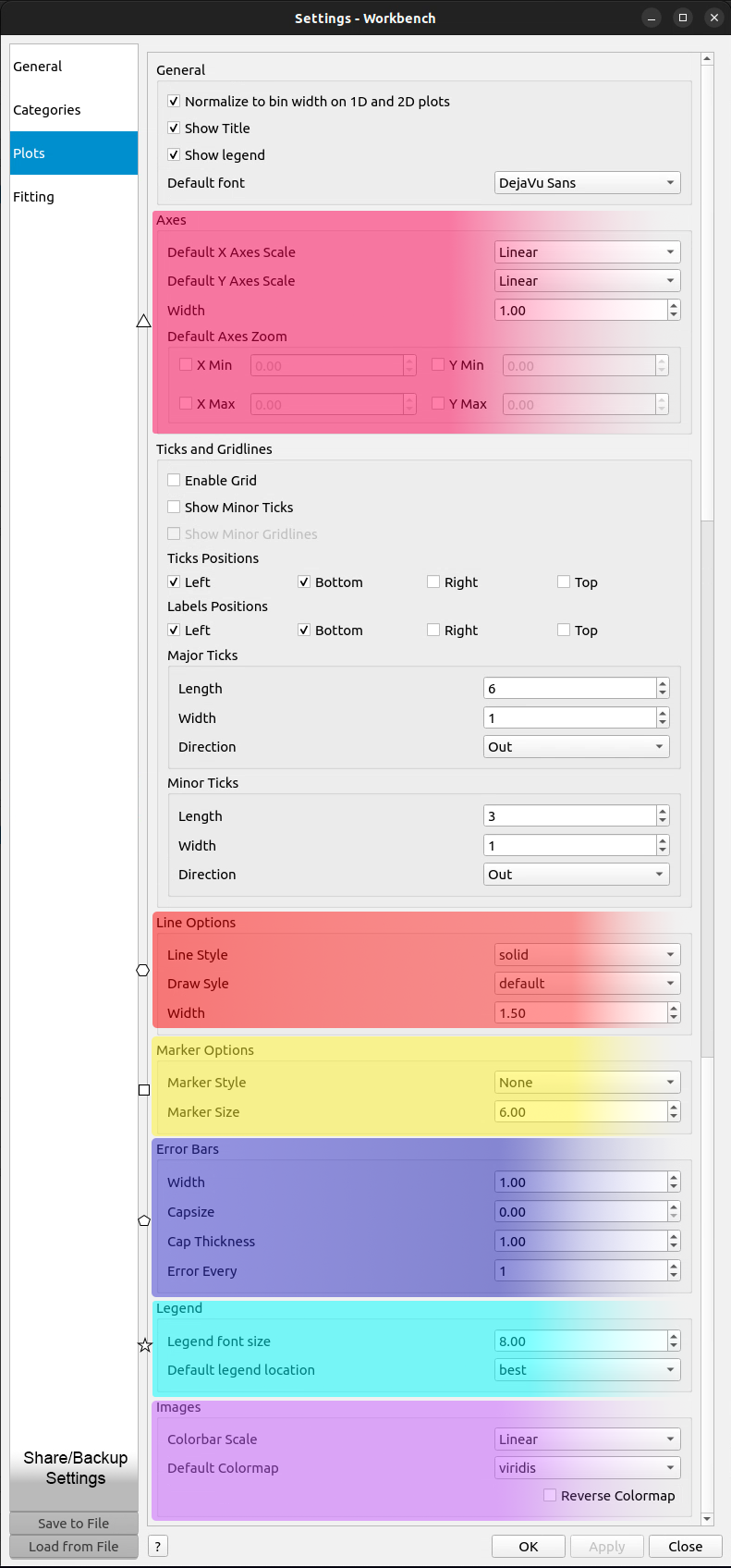
File > Settings#
Other Plotting Documentation