
Mantid Workbench Changes#
New Features#
The ability to scale axes and colorbars to
symloghas been added to plots. An option to specify the extent of the linear portion of thesymlogaxis (linthresh) has been added to the axes tab widget in the plot config dialog.Sequential fit output workspace names now include the numeric (spectra) axis to distinguish between different results.
The sequential fit interface now has an option to create the results output in a workspace 2D format.
The crosshair button is enabled in tiled plots (subplots).
The crosshair has been optimised using matplotlib’s blitting function for fast rendering. It very closely tracks mouse movement with minimal lag.
MantidWorkbench now features a new, integrated HTML-based help viewer, replacing the previous Qt Assistant-based system. This modernization provides a more streamlined user experience and aligns with current web standards.
In the Filter Events Interface, horizontal and vertical range markers have been added in lieu of sliders to simplify range filtering with the mouse.
Bugfixes#
Opening the help window will no longer cause a crash in Windows conda installs of
mantidworkbench.Show Invisible Workspacessettings can now be updated from the settings menu.Workspaces starting with “_” will now appear in plot legends.
Moving a range selector on a plot (especially in indirect/inelastic interfaces) will no longer cause a deprecation warning about
np.boolscalars being interpreted as an index.Standalone Windows installations of MantidWorkbench (using the .exe installer) now ignore the user
site-packagesdirectory (%APPDATA%\Python\Python311\site-packages), preventing conflicts with packages from other Python installations.Input validation errors have been corrected for numerical text boxes of the Filter Events Interface.
InstrumentViewer#
New features#
An experimental version of the new Instrument View has been made available in this release. To access this, right-click on a workspace in the ADS in Workbench, then click
(Experimental) Show Instrument. This feature is still in an early stage of development with further functionality being added over the v6.15 development period.
Bugfixes#
Added a warning to the
Picktab for a workspace with blocksize 1. In this case, the Instrument View will not provide a line plot until the workspace has been rebinned.
SliceViewer#
New features#
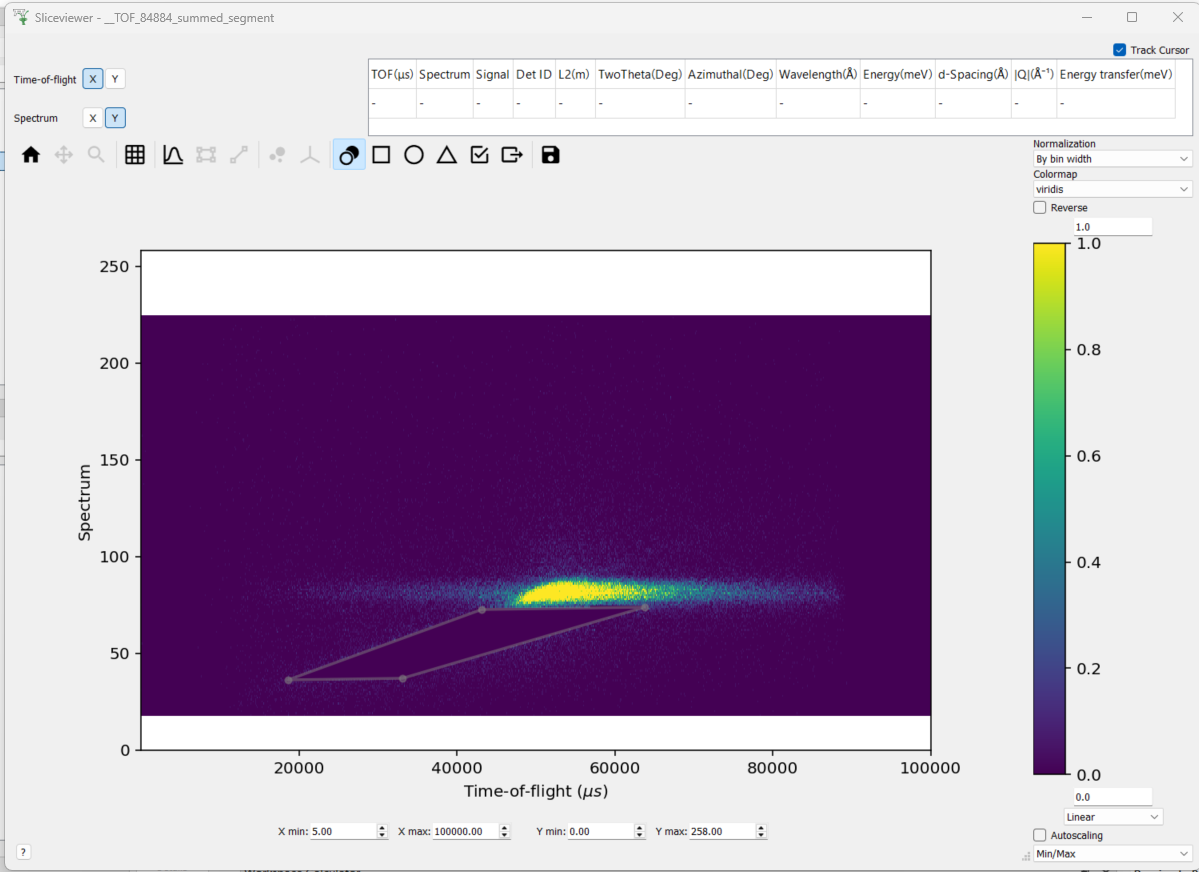
Added a masking feature for Matrix Workspaces with a non-numeric y-axis. This enables direct application of the mask to the underlying workspace, or the outputting of a table workspace that can be applied subsequently using
MaskFromTableWorkspace.